A URL and a nonce
The buyer posts /api/buyer/jobs with a URL and a nonce they generated. Their own endpoint is the one that puts that nonce in the response, so nobody can invent one after the fact.
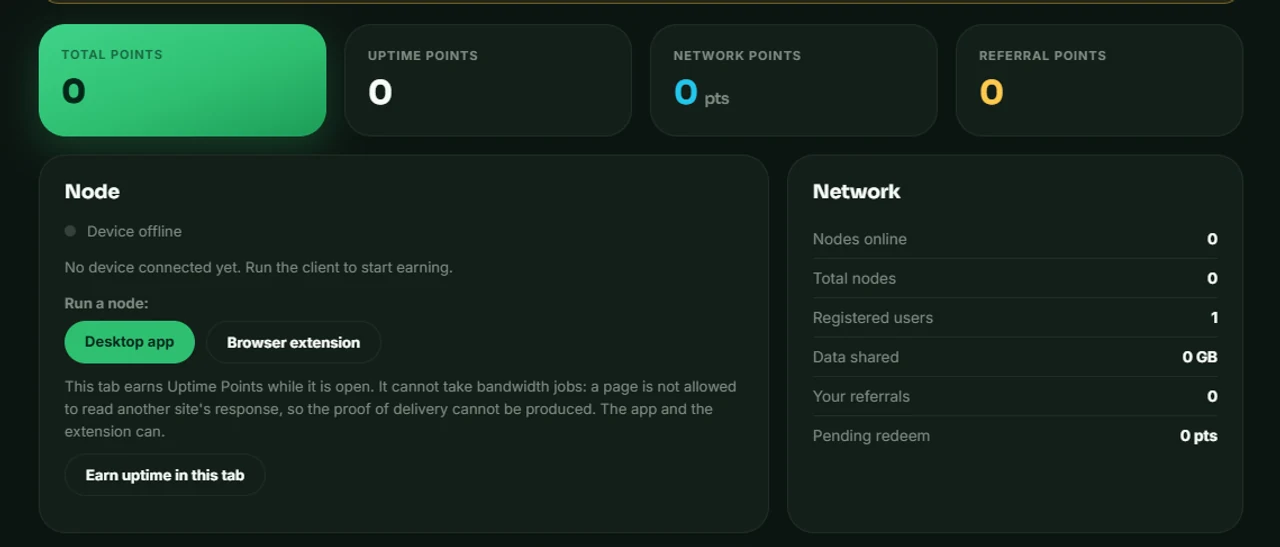
Meadow earns you Meadow Points for the bandwidth you are not using — and only for work a buyer has actually paid for. Points settle to USDG on Robinhood Chain.
A buyer queues a fetch. Your node makes it through your connection and hands back proof that it arrived. Only a proven delivery is worth anything — which is also why there is no pool of make-work to fall back on when buyers are quiet.
The buyer posts /api/buyer/jobs with a URL and a nonce they generated. Their own endpoint is the one that puts that nonce in the response, so nobody can invent one after the fact.
Meadow requests that URL and returns the first 4 KB. Your files, your history and your credentials are not part of the job — the node never looks at them.
The nonce coming back is the whole proof. Verified deliveries book revenue at the buyer's rate per GB, and that booked revenue is the only thing a payout can be drawn against.
They are the same node with the same rate. The hourly caps are per account rather than per client, so a second client earns nothing the first has not already claimed.
A packaged app that lives in the tray. Close the window and it keeps earning.
Chrome and Edge, Manifest V3. It is a service worker, not a background tab.
chrome://extensionsThe rate is fixed when a redemption is created, so a later change cannot rewrite what you were already owed.
At the buyer's own rate per GB. That ledger is what the payout gate reads.
A node with no buyer work still earns uptime points. That is a floor, not a promise — if buyers have not paid in, there is nothing to pay out.
Settlement refuses to send more than the ledger records as received. It stops the payout pipeline going underwater, and it means nobody is quietly paid from someone else's deposit.

One a minute, for as long as a client is running.

A base plus a rate per KB, only on a delivery the buyer's own nonce proves.

100 when a friend activates, then 10% of everything they earn.
What the node touches, what it cannot, and how the points work — argued out at length rather than asserted in a hero.
There is no Mac build, no Linux build and no mobile client. One installer, one platform, and we would rather say so than let you find the download link missing.
Meadow holds no third-party security certification, and the site carries no compliance logos. Everything we can tell you about what the node does and does not touch is written out in the pages above.
Task rate, throughput and uptime credit are all limited per account per hour. Two devices earn no more than one — and a client that reports a number it did not deliver is capped at what it was actually issued.
There is no code-signing certificate, so Windows shows “Unknown publisher” and SmartScreen asks you to confirm. That is what an unsigned installer looks like. It is not a sign that the download went wrong.
Verified delivery of web requests. A buyer wants a URL fetched through a real consumer connection rather than a datacentre address; your node is one of the connections that does it. You are paid for the delivery, not for being online.
It depends entirely on how much work buyers queue, and we are not going to put a number here that we cannot stand behind. With no buyer work a node earns uptime only, and payouts are capped by what the ledger records as received.
No. The node fetches the URL the buyer named and returns the first 4 KB of the response. Your history, cookies, account credentials and local files are not part of the job and are never read.
Yes, and it will not earn you extra. The hourly limits key on your account, so the second client picks up whatever headroom the first one has left.
The installer is not code-signed. “Unknown publisher” is simply what that looks like — click More info, then Run anyway. A signed build would need a certificate that Meadow does not currently hold.
They stay on your account and keep their value against the rate at redemption. Redeeming needs a confirmed email address and a wallet bound in the dashboard — the wallet is checked first, because a missing destination is the more fundamental problem.
One installer for Windows, or the extension if you would rather not install anything at all.
Unsigned installer — SmartScreen will ask you to confirm. Requires Windows 10 or newer, 64-bit.